

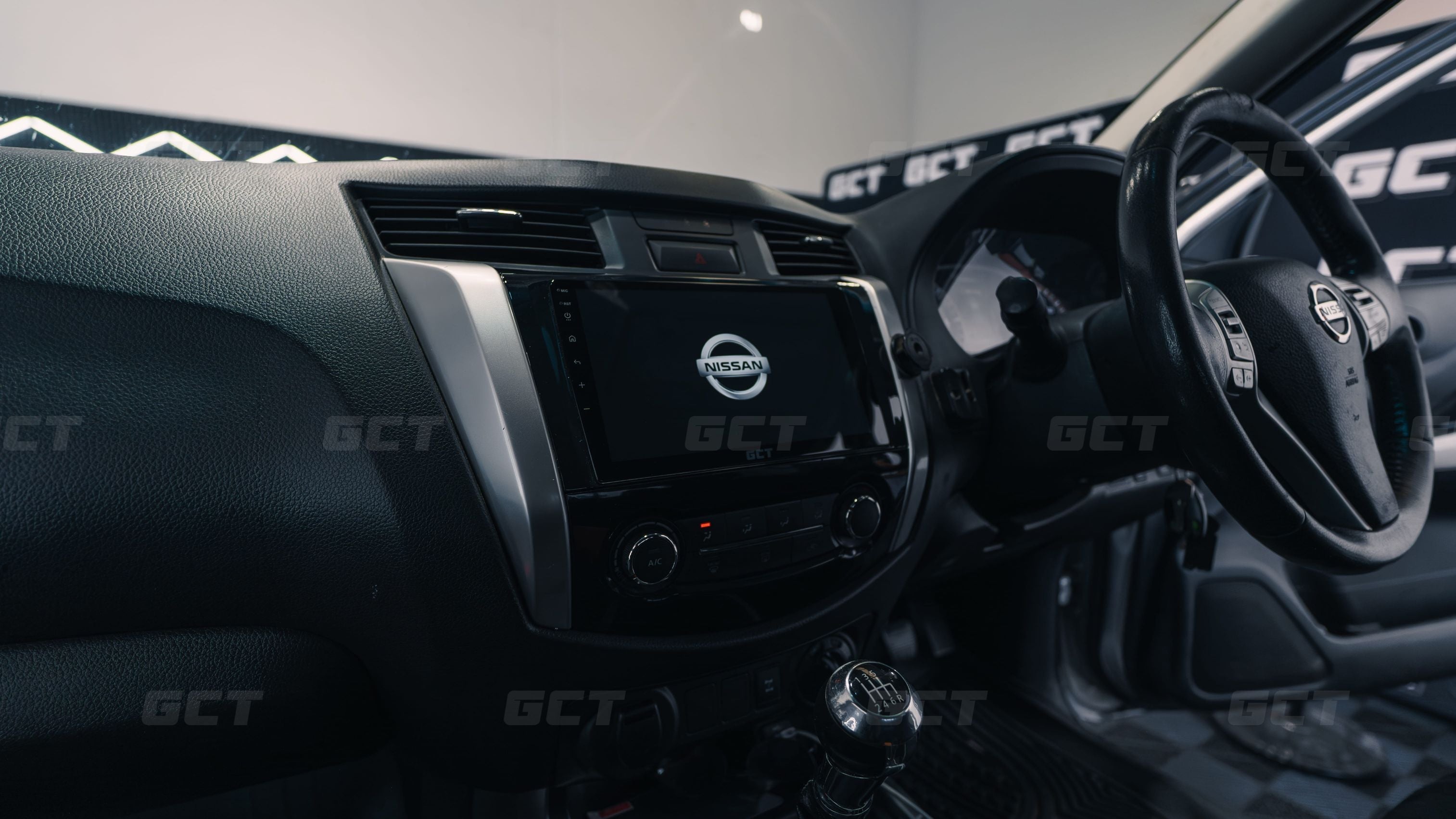
The Nissan Navara NP300 is a brilliant ute, but the factory infotainment has always been the weak point. Whether you've got the basic radio or the small factory screen, it's starting to feel dated, the navigation is not great, and it's a long way behind what your phone can do.
A new wireless CarPlay system fixes all of that. You can swap the factory unit for a brand new touchscreen that runs Apple CarPlay and Android Auto, with a bigger, sharper display and an interface that actually feels modern.
And this is one of the easiest installs we do. We've fitted these into more than 1,000 cars, and the Navara is about as simple as it gets. The whole job takes around 30 minutes, you don't need any special tools, and our unit even arrives pre-wired so there's almost nothing to set up.
This guide walks through how it works and what's involved in adding Apple CarPlay into your Nissan Navara.
In the video above, we fit a complete kit into a 2015 NP300 from start to finish. If you'd rather watch than read, it's all there.
Why add Apple CarPlay to your Navara
Navigation is the main reason to upgrade. Most Navara’s spend a lot of their life heading to job sites, campsites and places you've never been, so live maps are super helpful.
Apple CarPlay puts Google Maps and Waze straight on your screen, with proper routing and traffic, so you're not glancing down at a phone or having to deal with the outdated. That’s super important to avoid as here in Queensland (no doubt similar around Australia), a phone-use fine is over $1,200.
Then there's everything else you get with CarPlay. Spotify and podcasts run cleanly through the truck, calls and Siri are right there, and the cabin feels years newer.
Will it fit your Navara
The NP300 came in a few different setups, so this is worth a quick check before you buy. Some came with a basic radio and no screen, some with the factory 5-inch screen, and some with the larger 7-inch touchscreen.
The good news is our kit covers all three models.
There's a wiring harness to match each version, and installing the kit works the same way regardless of which one you've got.
If you're not sure which setup is in your truck, the compatibility details are on our product page or you can reach out to our customer support team and we'll match you to the right kit.
What you're actually getting
When you add CarPlay to your Nissan, you're not adding a small adapter behind the screen. You're replacing the radio with our own head unit, running our own interface with wireless Apple CarPlay at a smooth 60 frames per second and a proper Nissan logo on startup.
 Two things set these apart.
First, the unit comes pre-assembled, so all the wiring at the back is done for you. The only thing you physically install is the microphone.
Second, our frame bolts in using the four factory screw points, not just clips like a lot of units on the market. Once it's in, that screen is not going anywhere.
Will I lose any factory features
You won’t lose any factory features when you install these CarPlay kits. We retain your factory steering wheel controls, your factory reverse camera, your factory USB port, and the units ship preconfigured so all of that works straight out of the box.
The reverse camera is a nice addition too. It's the same factory camera, but it looks twice as good on the bigger, brighter screen. And if your Navara never had a working USB port, we include a generic USB input you can route anywhere in the cabin, so you're covered either way.
How the install works
The whole job takes about 30 minutes, and all you need is a Phillips head screwdriver and the trim tool we include in our kits.
You start by popping off the two silver trim pieces either side of the screen with the trim tool.
From there you remove the screws holding everything together and the radio and climate panel pull out together as one piece.
Unplug the factory connectors behind the radio, which release with a press of your thumb, and the old unit is out.
The only fiddly part is running the microphone cable up the A-pillar, and even that's pretty straightforward with the cable tool included.
After that, you plug in the pre-wired harness. Every connector is keyed, so each plug only fits where it belongs.
If it fits, you've done it right. Then you screw the new unit in with the factory screws, pop the trim back on, and you're done.
What it's like once it's in
Once you install this into your Nissan, the day to day driving just works so much better. The unit boots in about 6 seconds, and because pairing is a one-time thing, wireless CarPlay connects on its own every time you get in.
There’s no fussing around with cables, or your phone having to sit in a cup holder to be able to navigate.
Waze, Spotify and all your usual apps will run at 60fps and are fully integrated into your steering wheel controls.
It completely changes the inside of the truck, and you'll likely find yourself enjoying it a lot more.
DIY, or let us handle it
Most people fit these systems themselves, and between the pre-wired unit and our step-by-step tutorial video, it's very doable even for a first timer.
But if you'd rather not spend half an hour behind the dash, our team at our Brisbane workshop can fit it for you.
Either way, you end up in the same spot: a sharp, modern CarPlay system in your Navara, done right the first time. That's what we're about here at Get Car Tech.


Share:
How to Install Apple CarPlay into a Holden Commodore
How to Install Apple CarPlay in a Hyundai i30